Nassau County School District is transitioning from Remind to ParentSquare, our new communication platform for schools and families.
To ensure you continue receiving important school and district communications without interruption, it is essential that your contact information in FOCUS is accurate and up to date. If you need to update your FOCUS information, please contact your student's school.
Parents and guardians will receive an invitation email at the email address listed in FOCUS, similar to the example shown below, inviting you to activate their ParentSquare account.
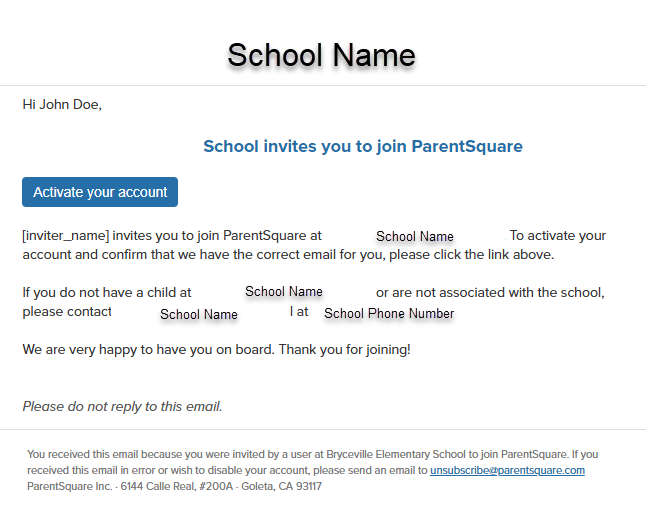
Once you receive the email, click Activate your account and follow the prompts to complete your account setup. If you do not receive an invitation, please check your spam or junk folder before contacting your child's school.
To help you get started, review the Getting Started Guide for Parents here: Getting Started Guide for Parents
For additional tutorials, FAQs, and support resources, visit the ParentSquare Parent & Guardian Help Center: ParentSquare Parent & Guardian Help Center